Why do spaces appear when hiding the theme’s header?
The space appears after hiding the theme’s default header and adding the “Header” section of Smind. This is a problem with the theme. To fix it, please follow these steps:
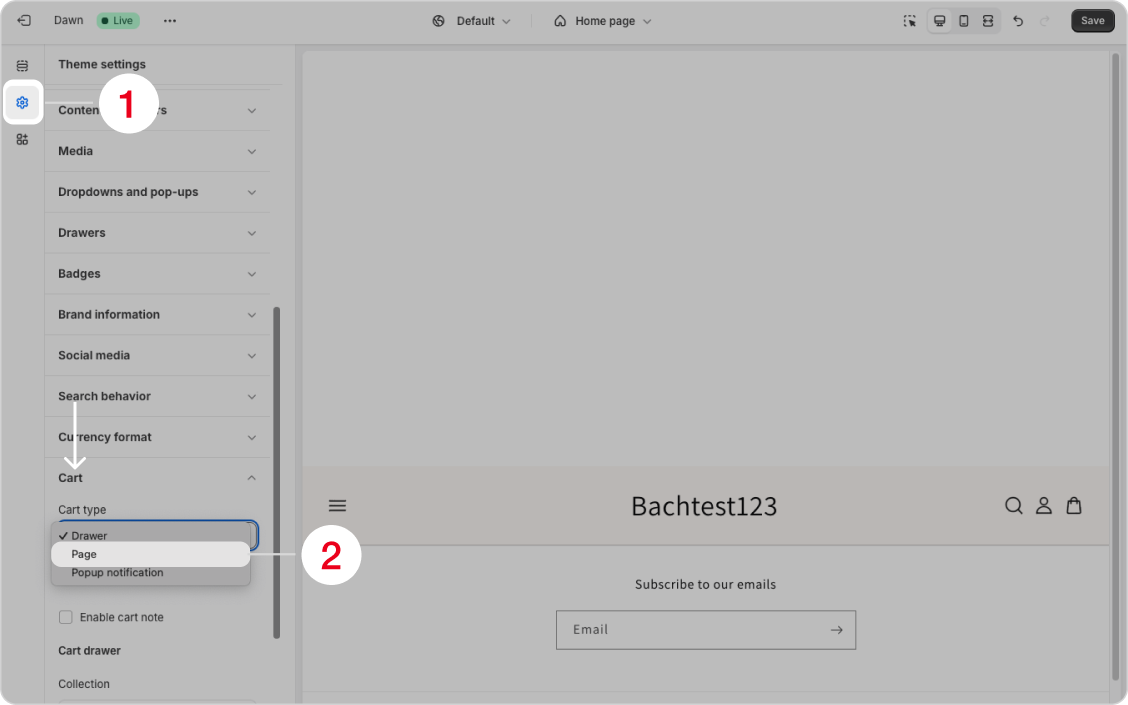
- From theme editor, go to “Theme settings“
- In the “Cart type” field select “Page“
Did this answer your question?
If anything is unclear, tell us — we improve docs weekly.