How to change default text in sections?
For stores using a different theme (not Smind theme)
To change the default text in sections, follow these steps:
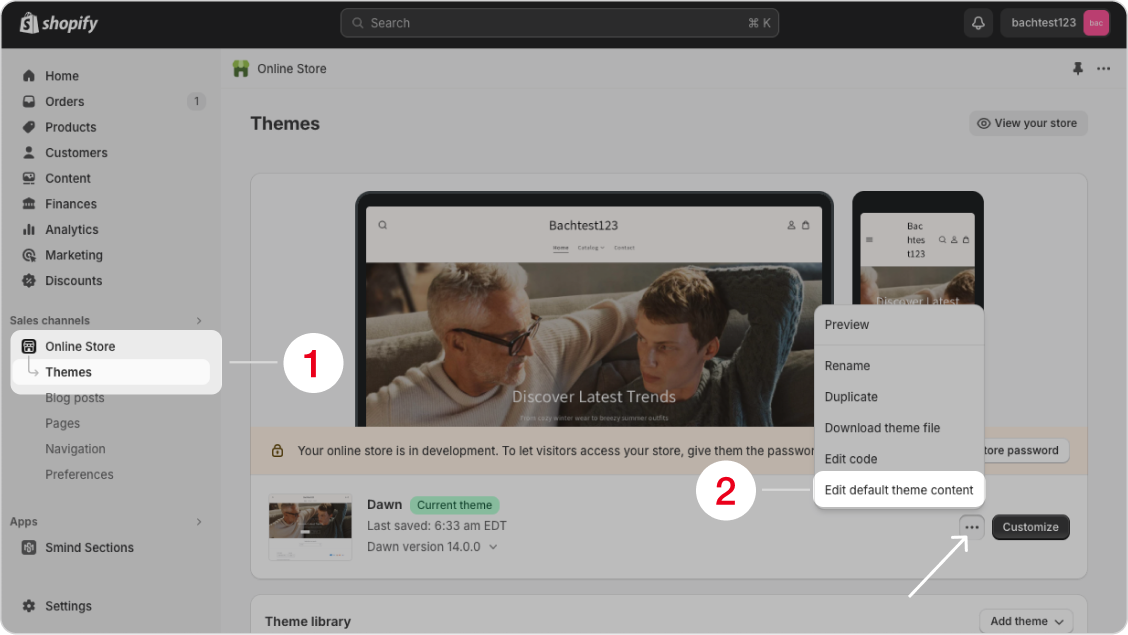
- From your Shopify admin, go to “Online Store” and then choose “Themes“.
- Choose the theme that Smind is working on, click “More actions”, then choose “Edit default theme content“.
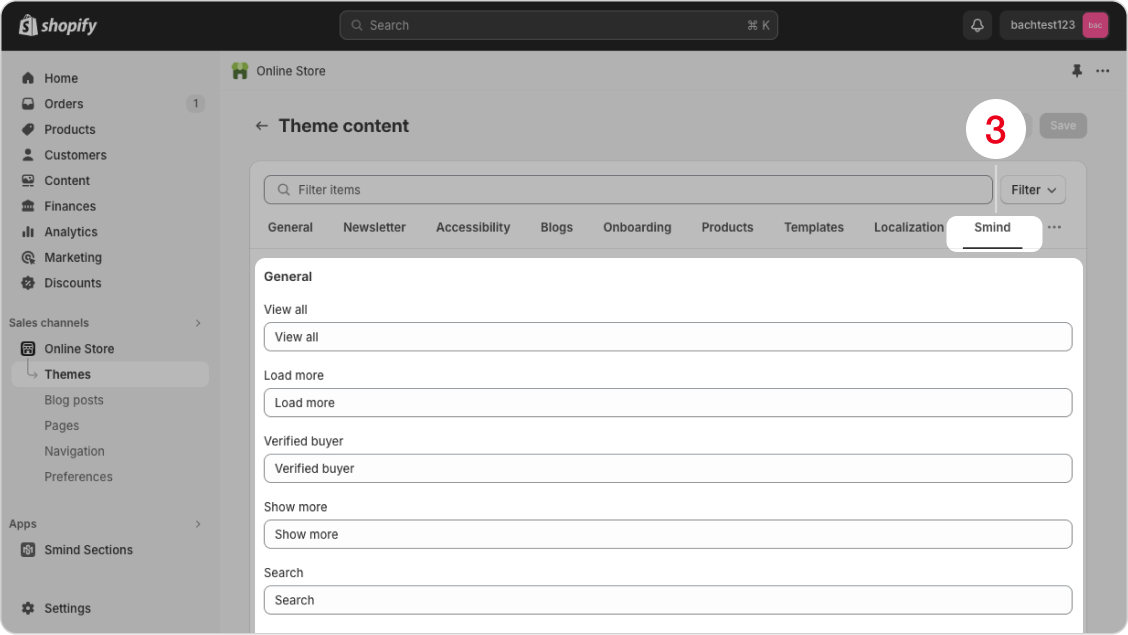
- Click the “Smind” tab, then find and replace the text you want to change.
Did this answer your question?
If anything is unclear, tell us — we improve docs weekly.