How to update sections?
To update sections, please follow these steps:
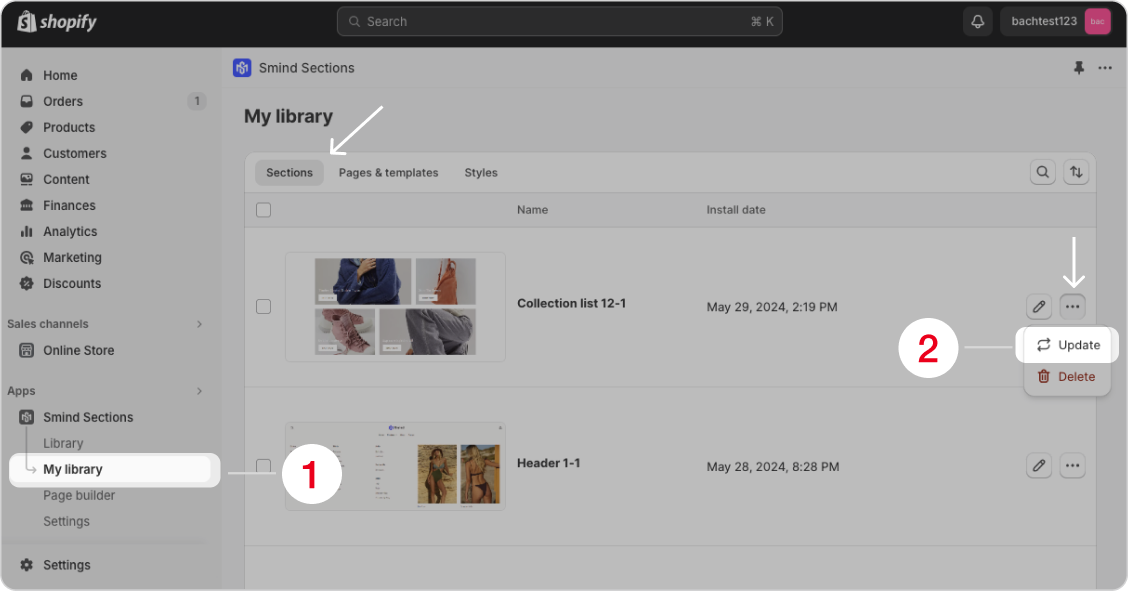
- Open the Smind application and navigate to “My Library“.
- In the “Sections” tab, select the section you want to update, then click on “More actions” and choose “Update“.
Did this answer your question?
If anything is unclear, tell us — we improve docs weekly.