Getting Started with Smind B2B
1. What is Smind B2B?
Smind B2B & Wholesale is a Shopify app that helps you sell to business customers at special pricing — without workarounds like draft orders or discount codes.
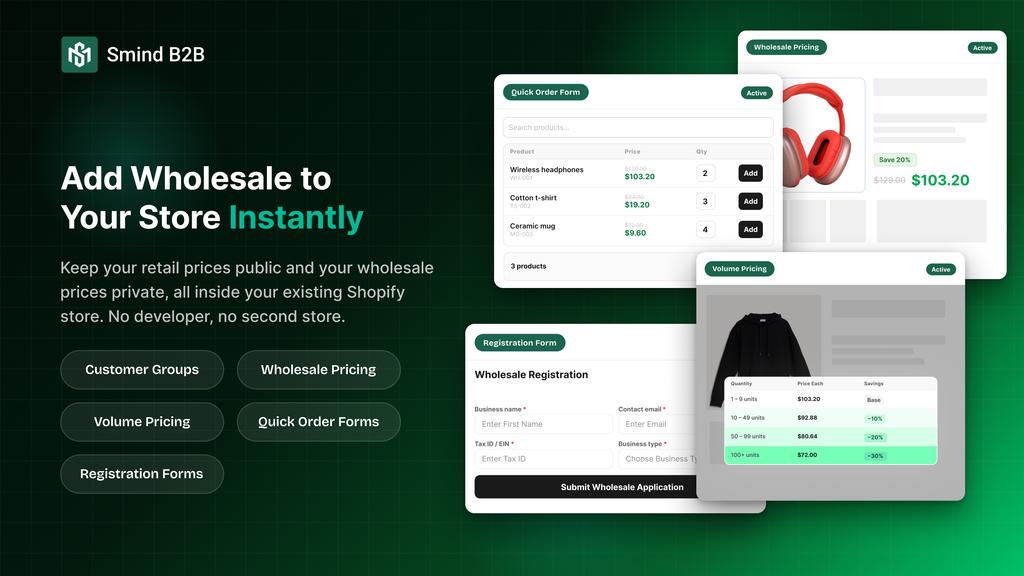
- Wholesale Pricing: Offer fixed discounts to specific customer segments with percentage discounts, fixed amount discounts, or flat wholesale prices. Discounts are applied automatically, regardless of purchase quantity.
- Volume Pricing: Create tiered pricing based on order quantity. The more customers buy, the lower the unit price. For example: 1+ units at $100, 50+ units at $90, and 100+ units at $85.
- Customer Management: Review and approve B2B customer registration requests before granting access to wholesale pricing and exclusive storefront features.
- Registration Form: Build customized B2B signup forms with an intuitive drag-and-drop builder. Collect information such as company name, tax ID, business license, and other business-specific details. Includes ready-to-use templates and automated email notifications.
- Quick Order Forms: give B2B buyers a fast way to order multiple products at once. Instead of navigating to each product page individually, buyers see a catalog-style table where they can set quantities, and add everything to their cart with a single click.
Who is Smind B2B for?
- Stores selling to both retail and wholesale customers
- Stores that want to offer quantity-based bulk discounts
- Stores that need a B2B registration and approval workflow
- Stores with multi-tier customer segments (Gold, Silver, Distributor, Reseller)
2. Install app
This guide walks you through installing Smind B2B & Wholesale and activating it on your store.
- Go to the Shopify App Store and search for Smind B2B & Wholesale.
- Click Install.
- Shopify shows the permissions the app needs — review them and click Install app.
The app opens in your Shopify Admin under Apps > Smind B2B & Wholesale.
3. Enable app embed
The app embed is required for all storefront features. Without it, wholesale pricing, volume table, and all other storefront block is disabled. The app dashboard includes a guide that walks you through this step with a direct link to the theme editor.
- In the app dashboard, look for Activate app embed in your theme
- Click on Open theme editor
- Enable Smind B2B app embed (if not) then Save
Manual method
Did this answer your question?
If anything is unclear, tell us — we improve docs weekly.