How to setup Estimate Shipping in Cart Drawer
Allow customers to calculate real-time shipping fees directly in the cart drawer by entering their country and postal code. Fees are pulled from the Shipping Zones you’ve configured in Shopify Admin, so shoppers get an accurate estimate before checkout.
Key Features
- Country selector + ZIP/postal code input
- Instant lookup of shipping zone rates
Benefits
- Reduces surprise costs at checkout, lowering cart abandonment
- Builds transparency and trust by showing real rates up front
- Encourages international sales by clarifying shipping fees
How To Use?
- Click Add Block
- Choose Estimate Shipping
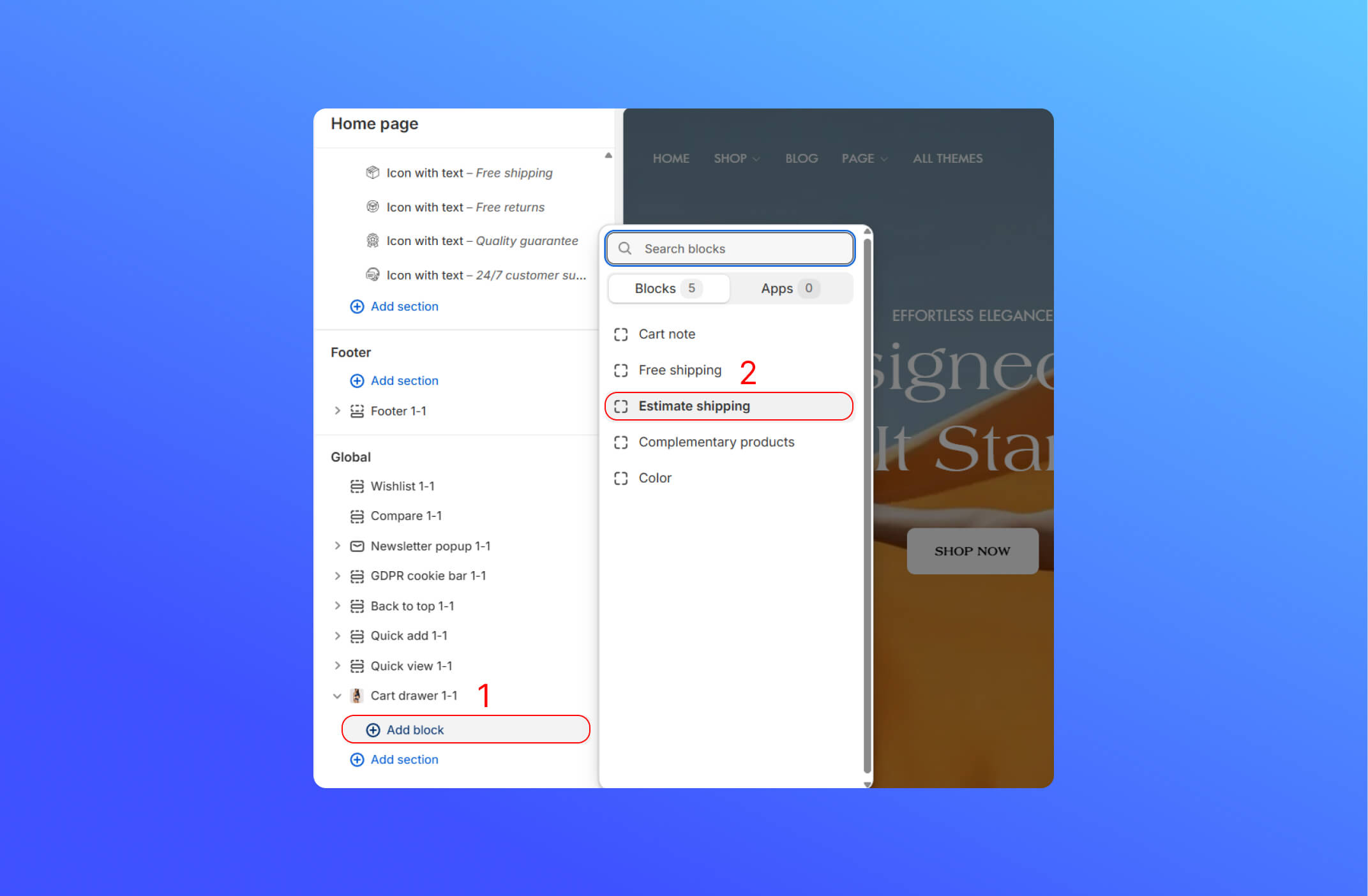
- After adding the block, you can see the button on the cart drawer

- Choose the country you want to ship to, and then enter the zip code or postal code for the delivery address
You have to set up a shipping zone on the Shopify Admin. If you don’t set it up correctly, the estimate shipping rate won’t show up on the cart drawer. Click here to learn it more

Did this answer your question?
If anything is unclear, tell us — we improve docs weekly.