How to setup Free Shipping Progress Bar in Cart Drawer
Inform customers how close they are to qualifying for free shipping. Display a progress bar in the cart drawer that updates as they add items, based on the minimum-spend threshold you set.
Key Features
- Configurable free-shipping threshold value
- Dynamic progress message (e.g. “$35 away from free shipping!”)\
Benefits
- Motivates shoppers to increase order value to qualify
- Improves average order size and cart totals
How To Use?
- Click Add Block
- Choose Free Shipping
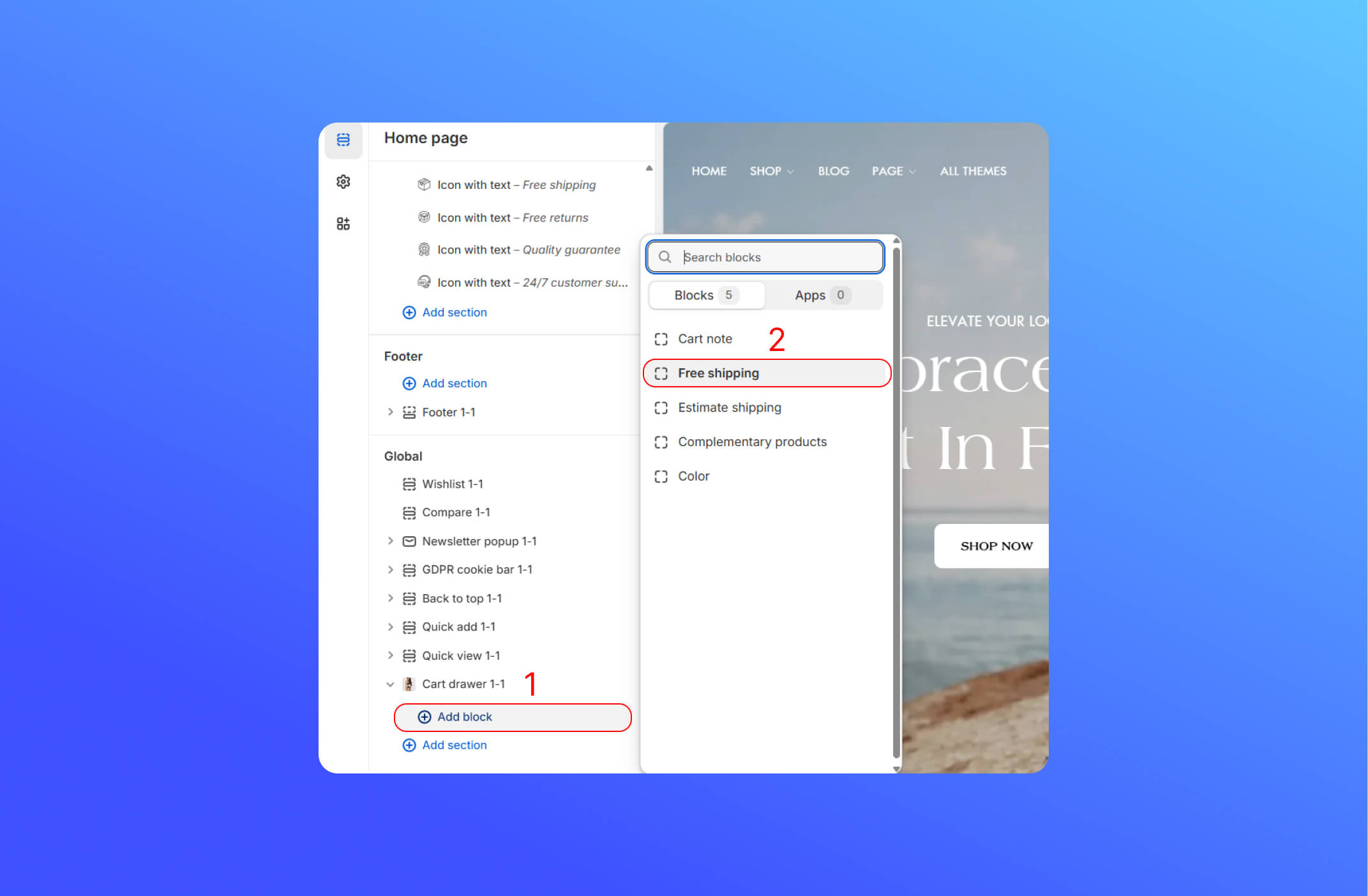
- Customize the Free Shipping block
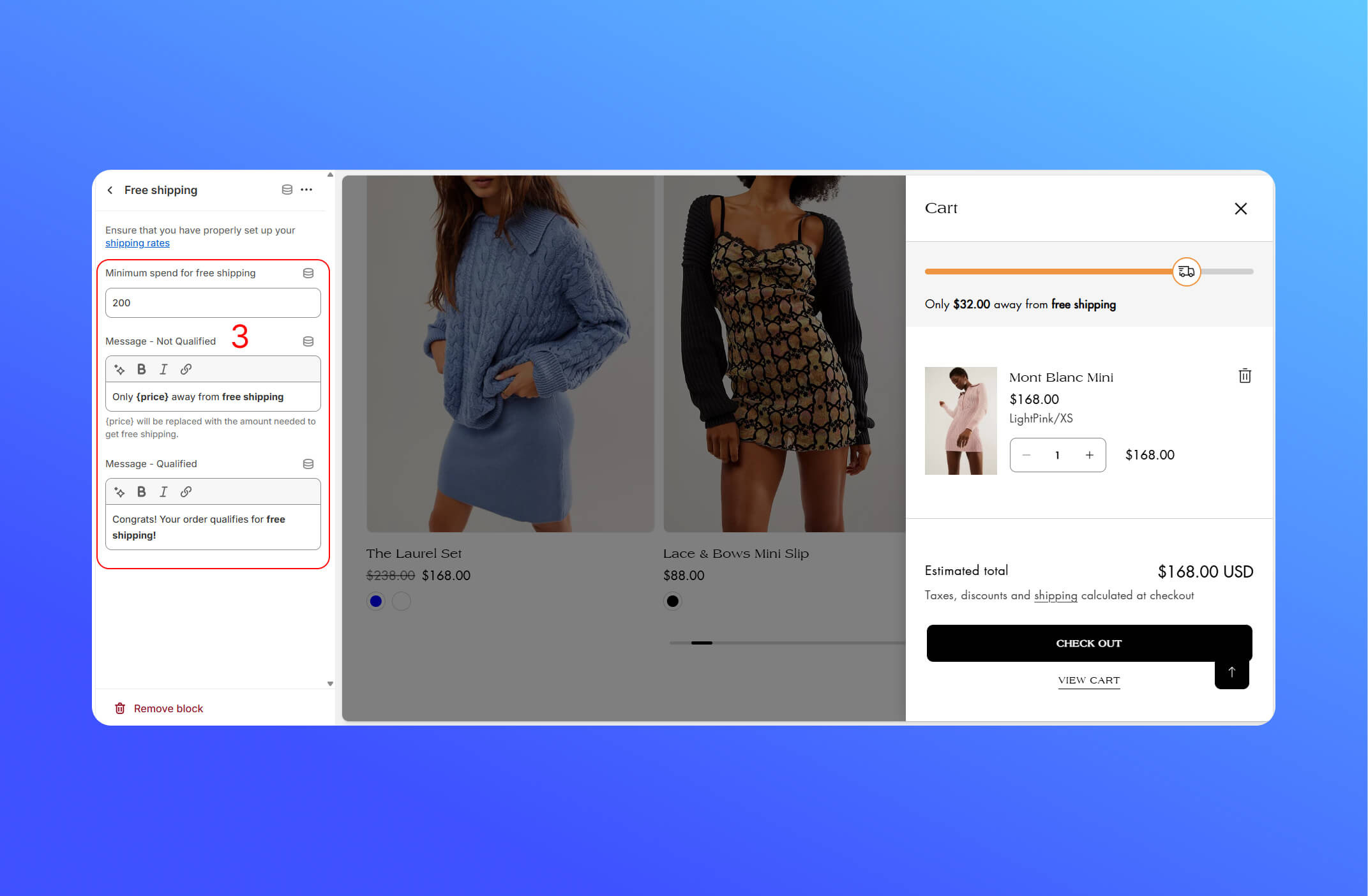
The first thing you have to do is setting up the Shipping Zone in the Shopify Theme Editor
Go to your Shopify Admin > Settings > Shipping & Delivery page—so you can be sure the rates you’ve set up are live. Click here to learn more about it
- Minimum spend for free shipping: Enter a amount of money that customer must reach in their cart to get free shipping.
- Message – Not Qualified: Shown when the cart total is below your threshold. Use
{price}to insert the difference. - Message – Qualified: Shows once the customer’s cart total meets or exceeds your threshold.
Did this answer your question?
If anything is unclear, tell us — we improve docs weekly.