How to setup Announcement in Cart Drawer
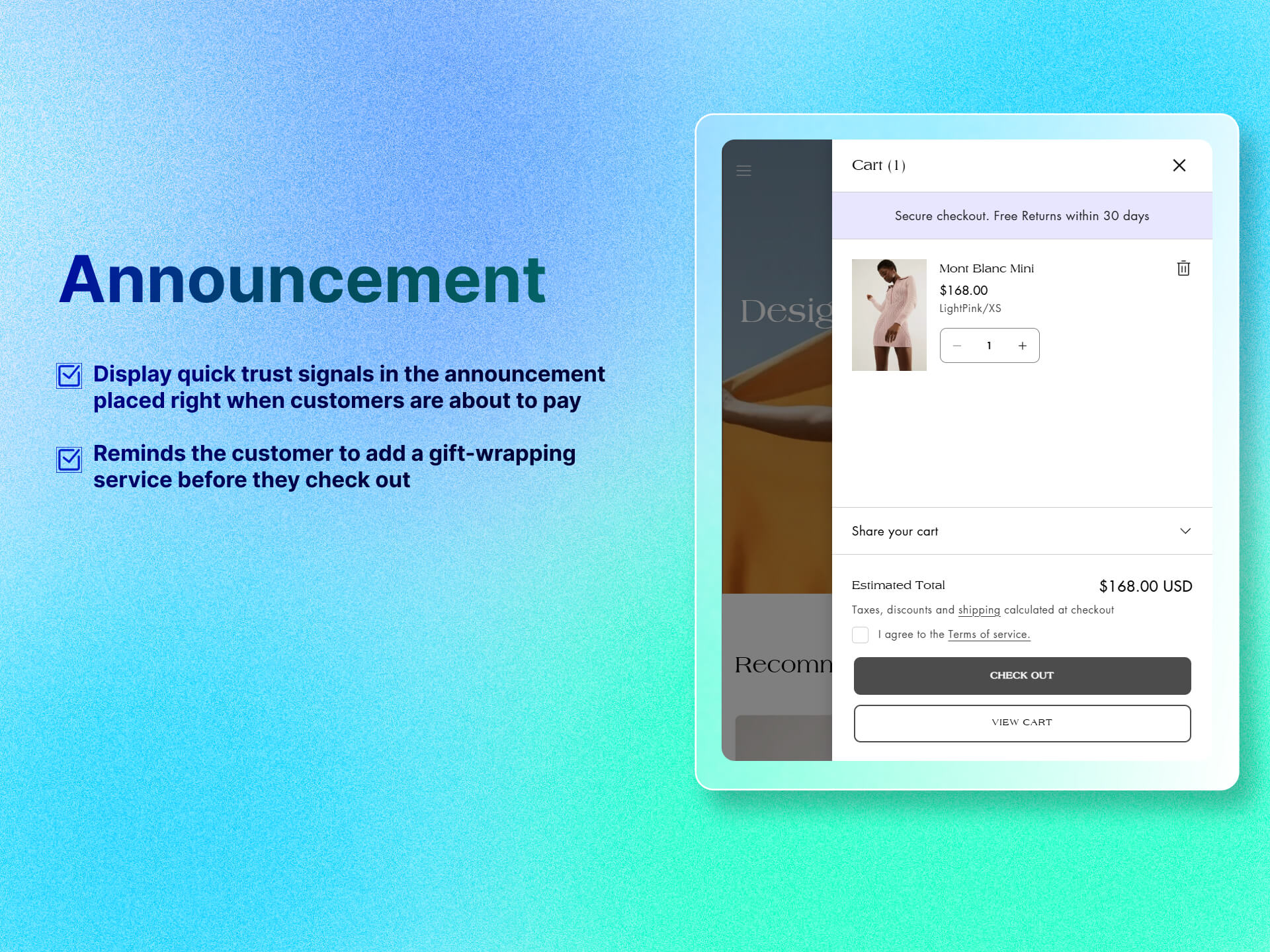
Displays a brief message to highlight promotions or important updates related to in-store purchases.
Key Features
- Custom Text: Write any message, embed small icons or links to policies/FAQs.
- Styling Controls: Set background and text color.
- Responsive Design: Automatically adapts to mobile and desktop drawer widths.
Benefits
- Build Trust: Display quick trust signals in the announcement, placed right when customers are about to pay, to help ease anxiety about payment or security.
- Highlight Cross-Sells: You can reminds the customer to add a gift-wrapping service before they check out. “Don’t forget gift-wrap!”
How To Use?
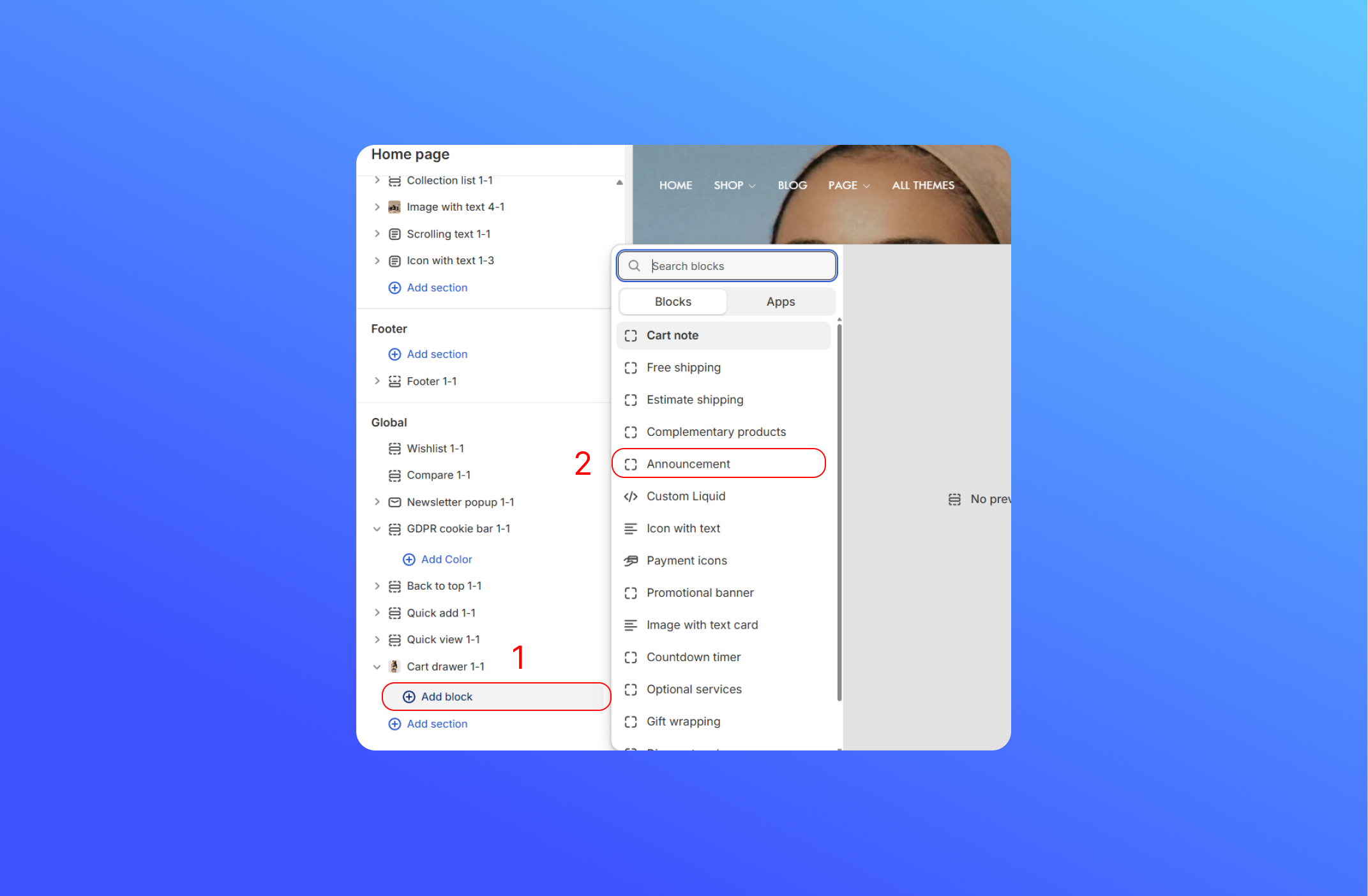
- Click Add Block
- Choose Announcement
- Customize the Announcement
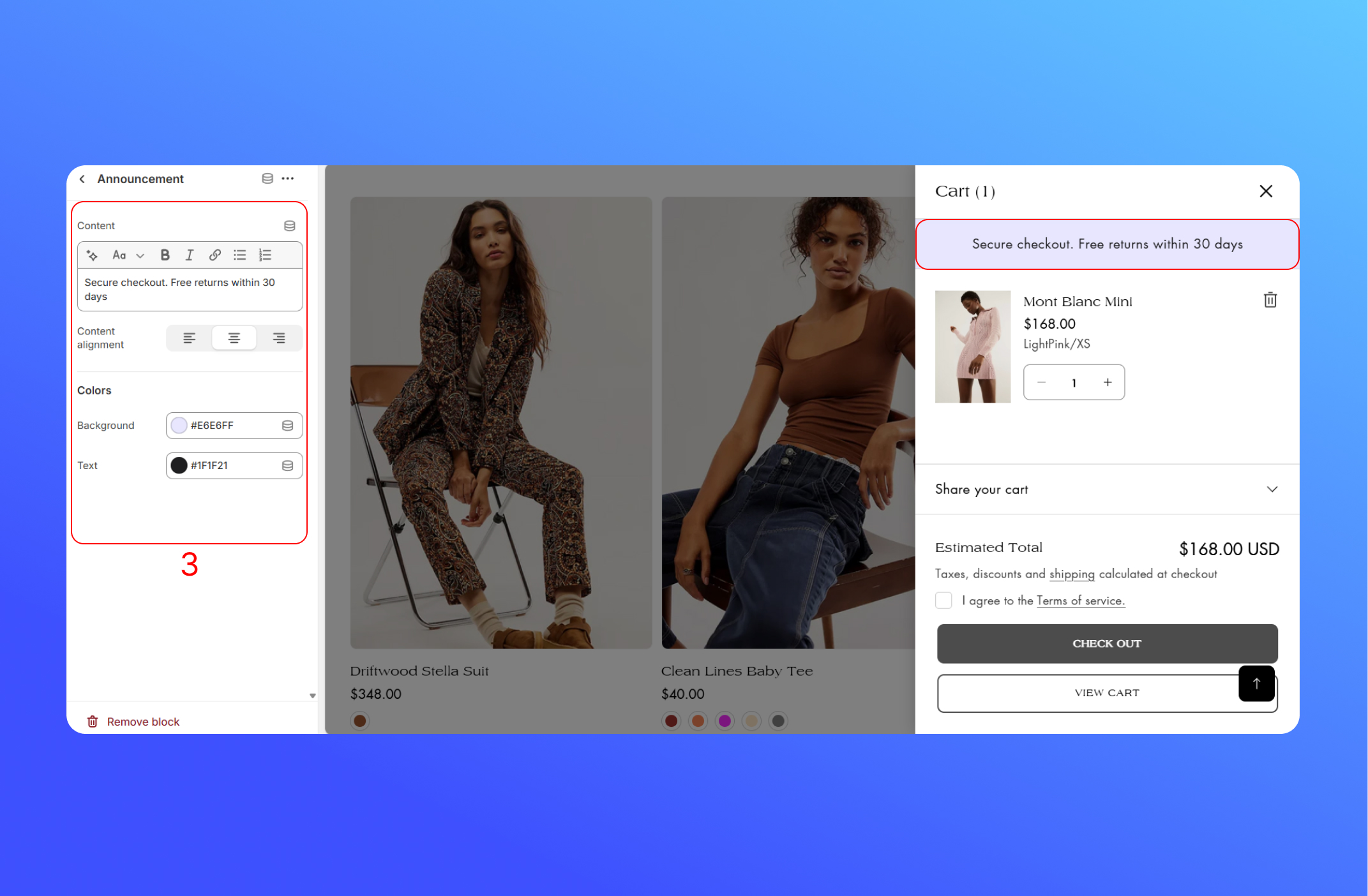
- Content: The rich-text field where you type or paste your announcement message.
- Content Alignment: where you choose left, center or right alignment for your text inside the bar.
- Colors: Change the color of background and text
Did this answer your question?
If anything is unclear, tell us — we improve docs weekly.