How to setup Gift Wrapping in Cart Drawer
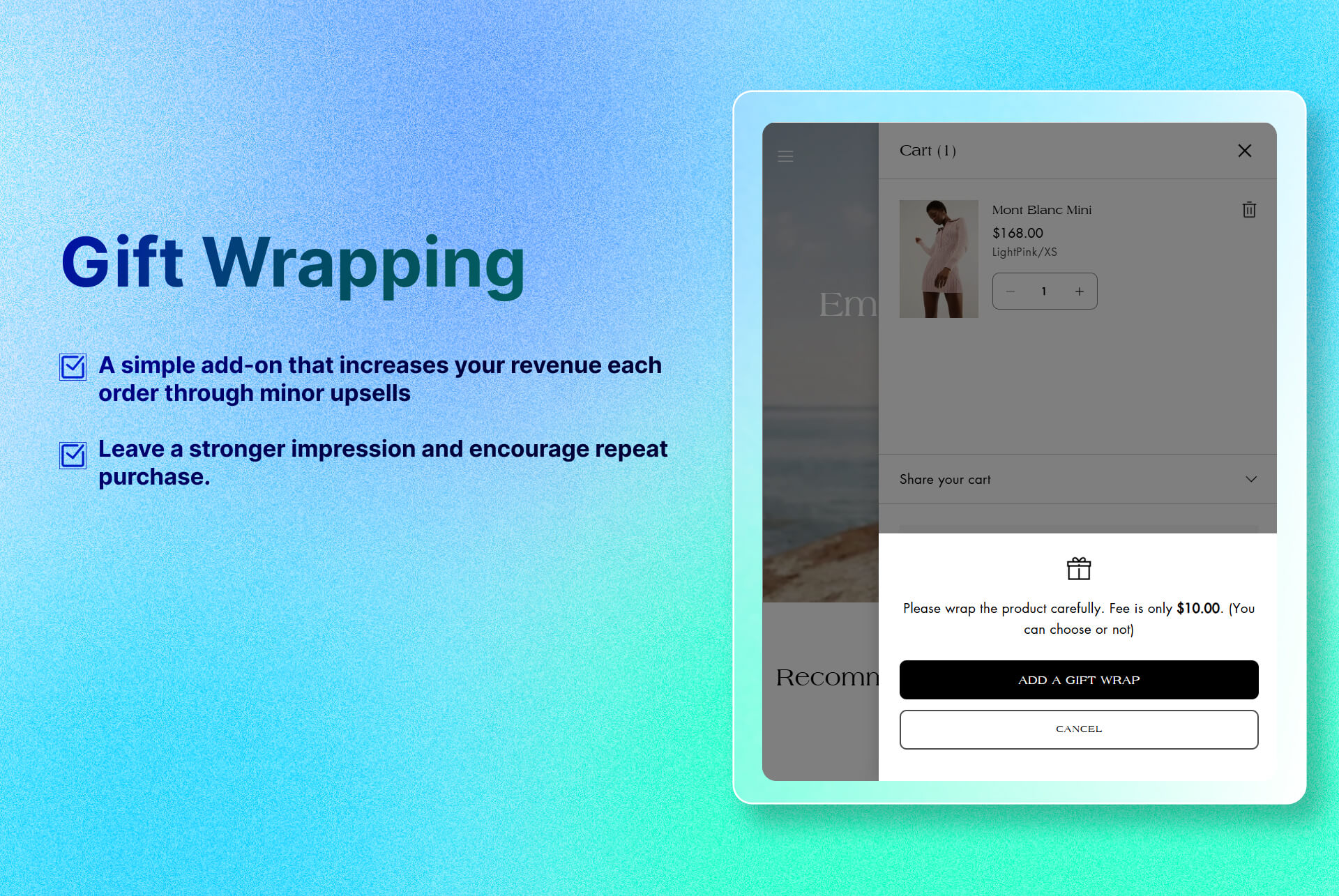
Provides gift-wrapping as a optional add-on for gifting convenience and extra revenue.
Key Features
- Customizable Message: A rich-text field where you explain what you charge a fee for a gift wrapping.
- Seamless Integration: Lives inside the cart drawer, so customers never leave the checkout flow.
Benefits
- Higher Average Order Value: Gift wrapping is an easy add-on, and even a small $5–$10 upsell bumps your revenue per order.
- Brand Differentiation: A branded package can leave a stronger impression and encourage repeat purchase.
How To Use?
- Click Add Block
- Choose Gift Wrapping
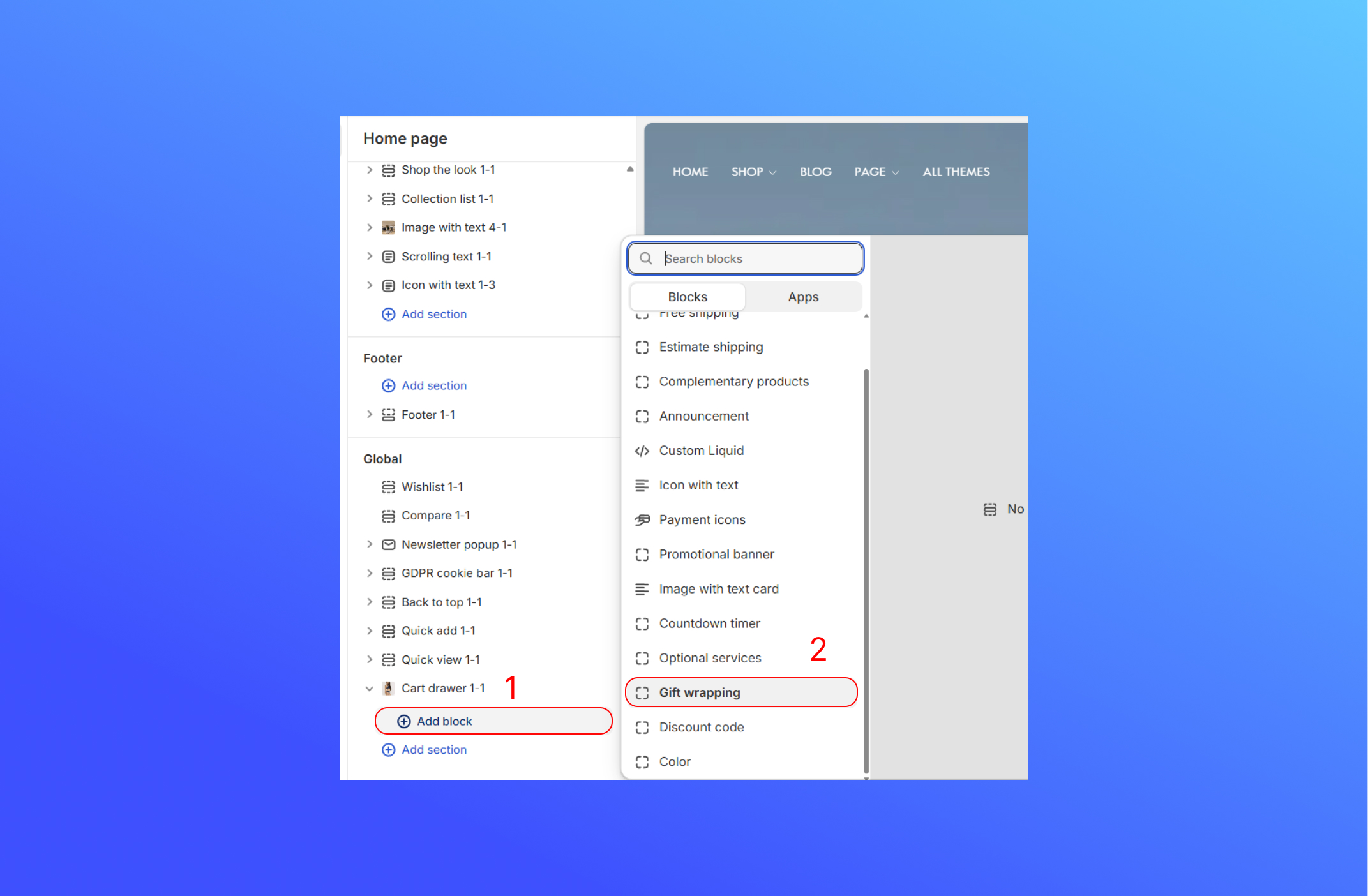
- Customize Gift Wrapping block.

- Gift Wrapping Product: Choose a product as a gift wrapping. To add a product as a gift wrapping, please follow the step below.
- Text: Display the message when your customer see above the button to explain what you’ll do, show the price, or add any special instructions.

- To add the gift wrapping services as a Shopify Product, following the step:
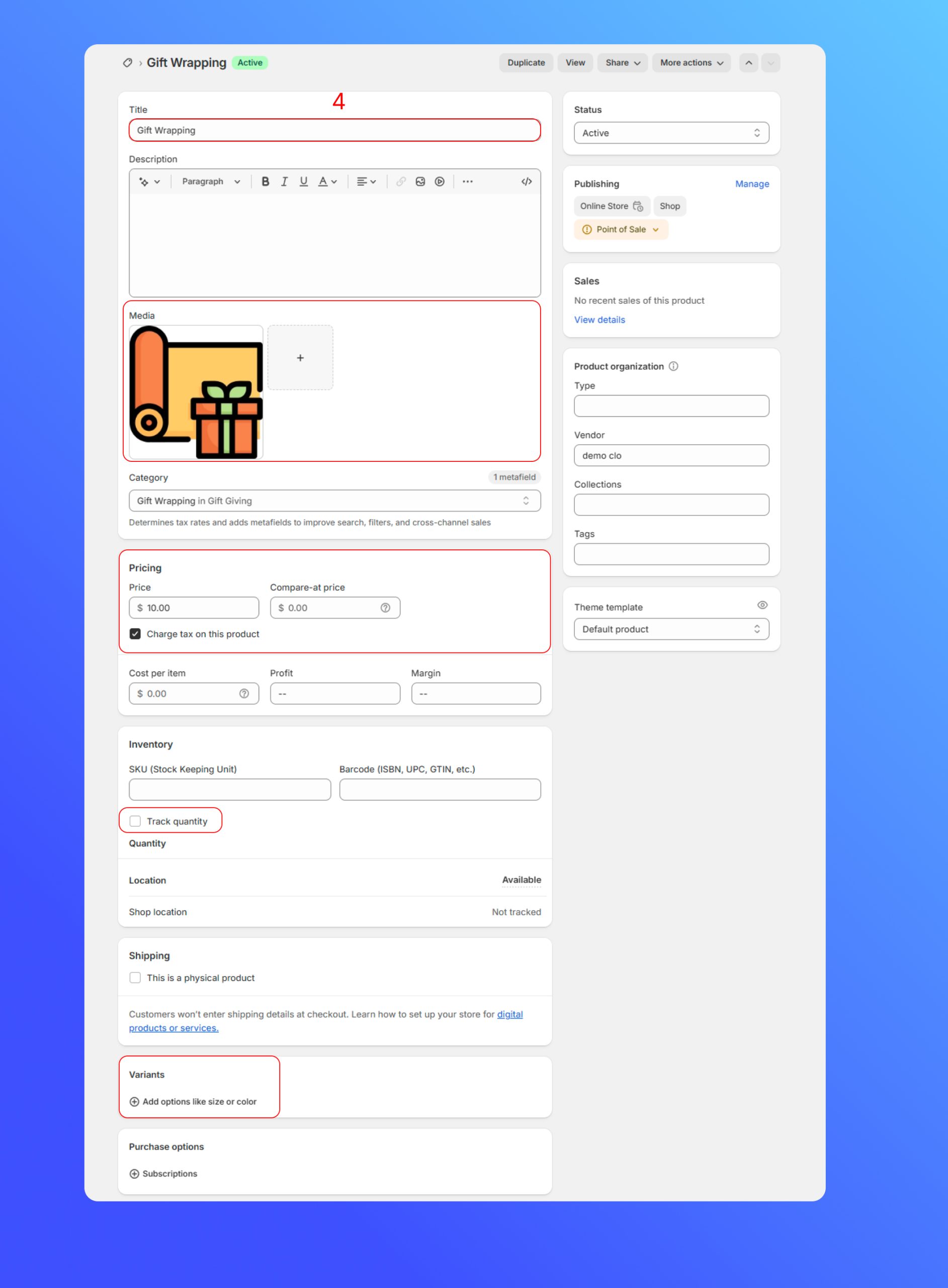
In the Admin Dashboard, click Product > Add Product to create a new product
- Title, Description & Media: Enter your title and description for the service. Upload an icon or image that will show next to the service in your cart drawer.
- Pricing: Enter the fee you’ll charge.
- Track Quantity: Uncheck this box so Shopify doesn’t count down inventory.
- Variants: Don’t add any options (size, color, etc.). Keep this product variant-free
Did this answer your question?
If anything is unclear, tell us — we improve docs weekly.