How to Configure Size Chart
If your store only has a size chart, we recommend using the “Pop-up” block to set it up.
To display size chart for your product page properly, you have to use the section – Product Detail 1 (PRO) to make sure it works perfectly.
To set up different size charts for your products, follow these steps:
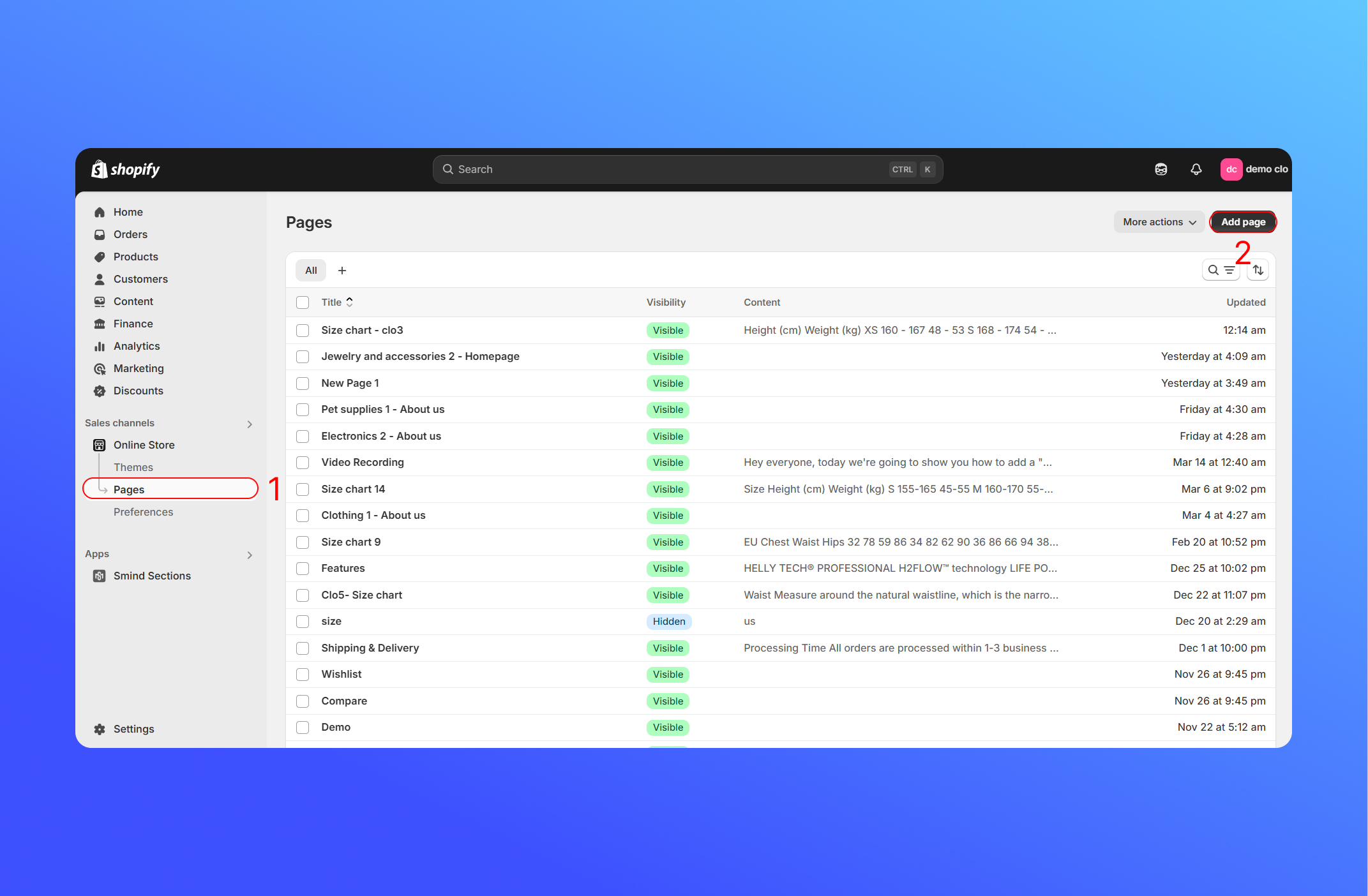
- From your Shopify admin, go to Online Store.
- Click Add Page.
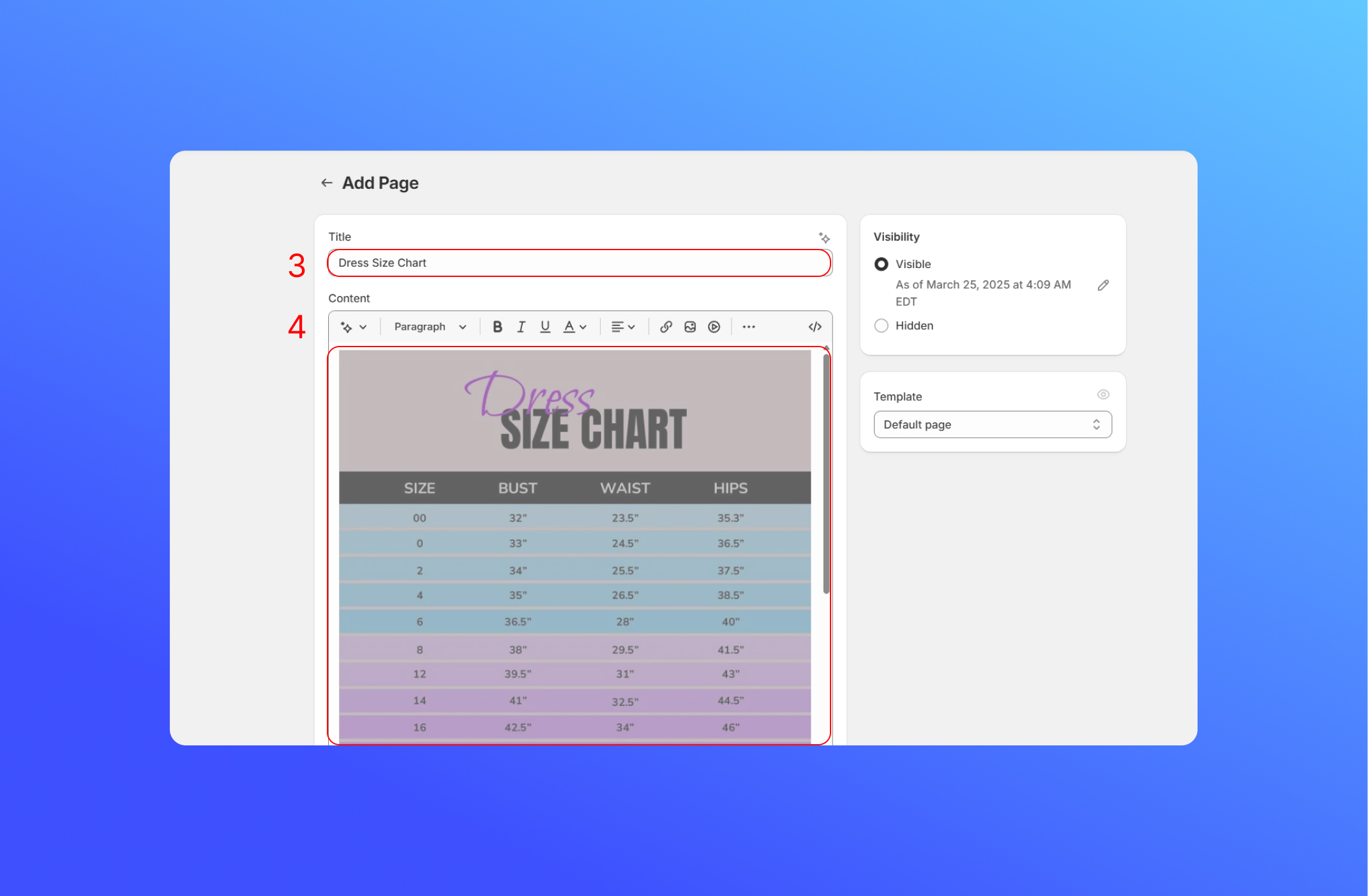
- Enter the title of the pages. For example: Dress Size Chart
- Enter the content for the page, you can upload your own size chart image or table (like JPG or PNG file). Click Save
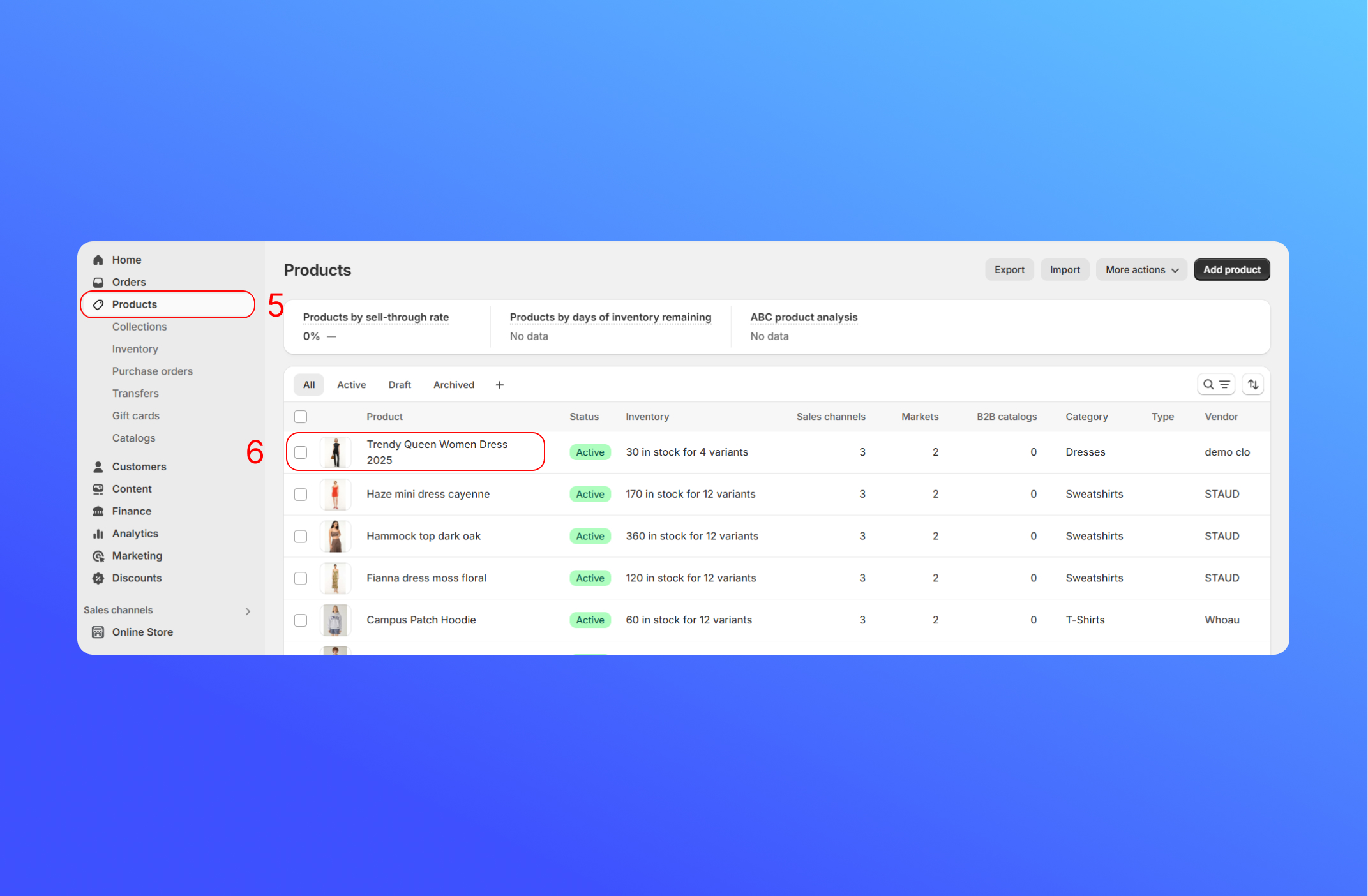
- Click Products
- Click the product you want to add a size chart.
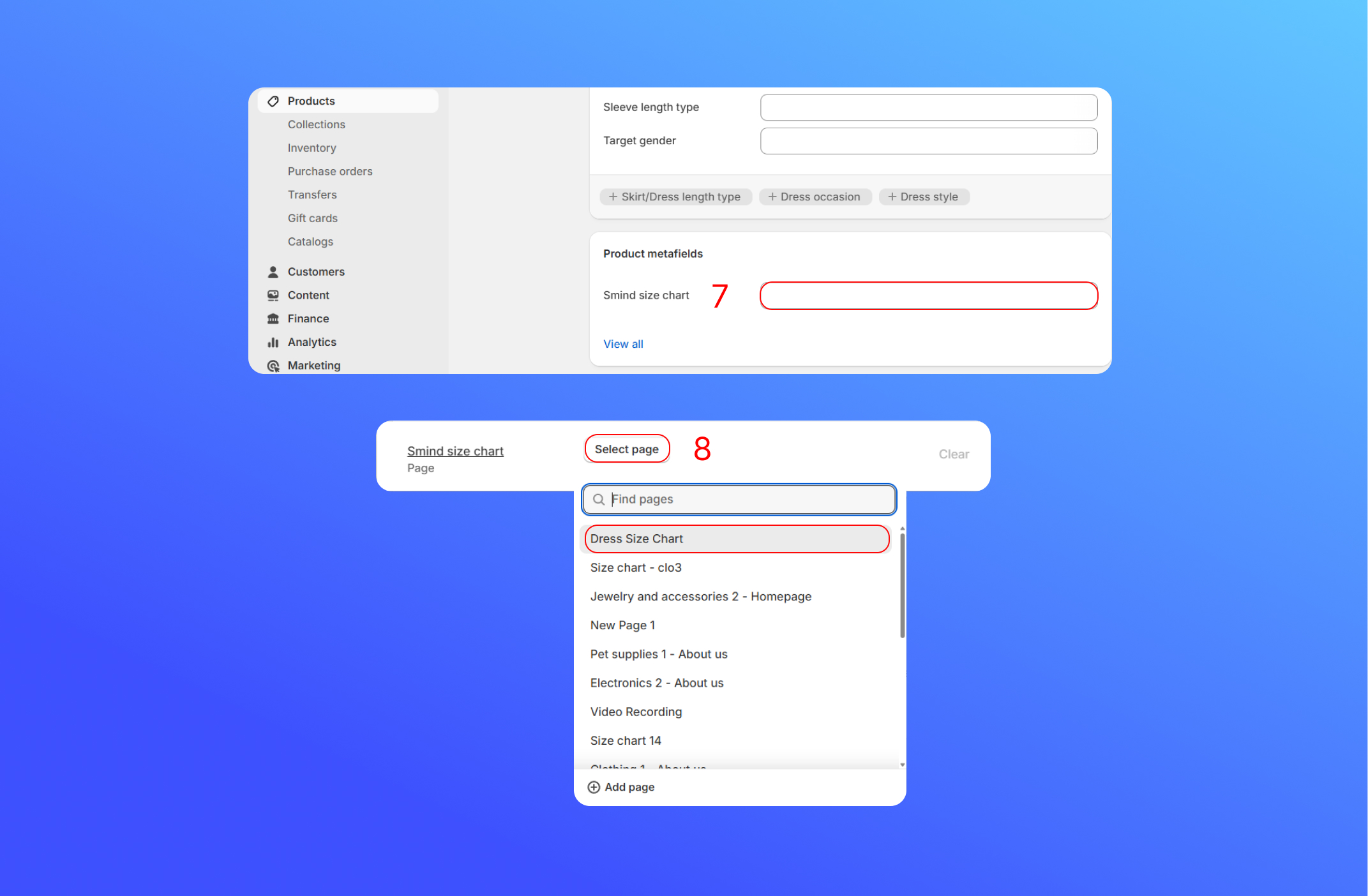
- In the Product Metafields, click the Smind Size Chart.
- Click Select Page, and choose the size chart page. For example: Dress Size Chart. Click Save
Did this answer your question?
If anything is unclear, tell us — we improve docs weekly.