How to Configure Sale Badge
To configure “sale percent” or “sale amount”, follow these steps:
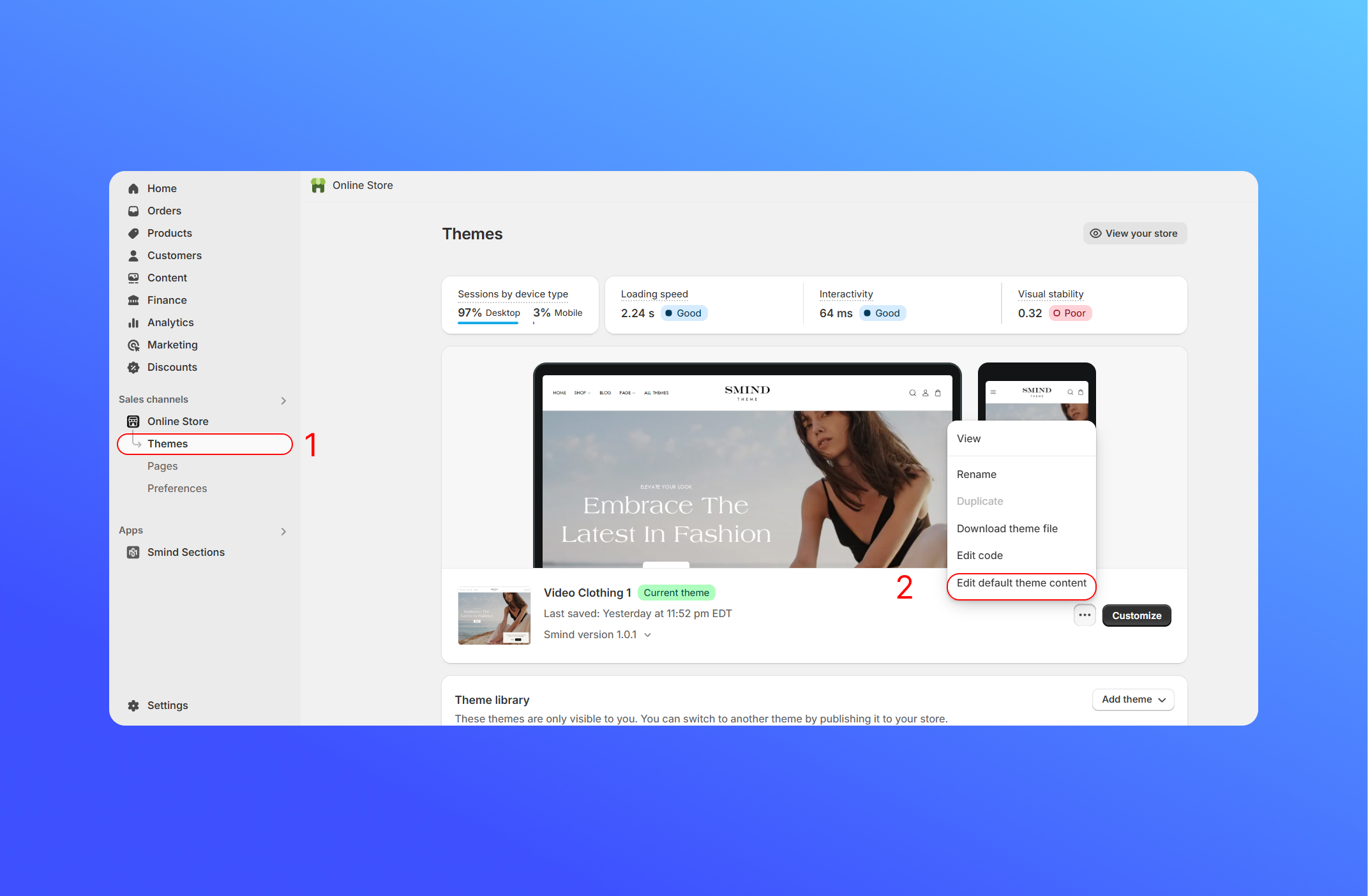
- From your Shopify admin, go to Online Store > Theme.
- Click the theme you want to edit and select Edit default theme content.
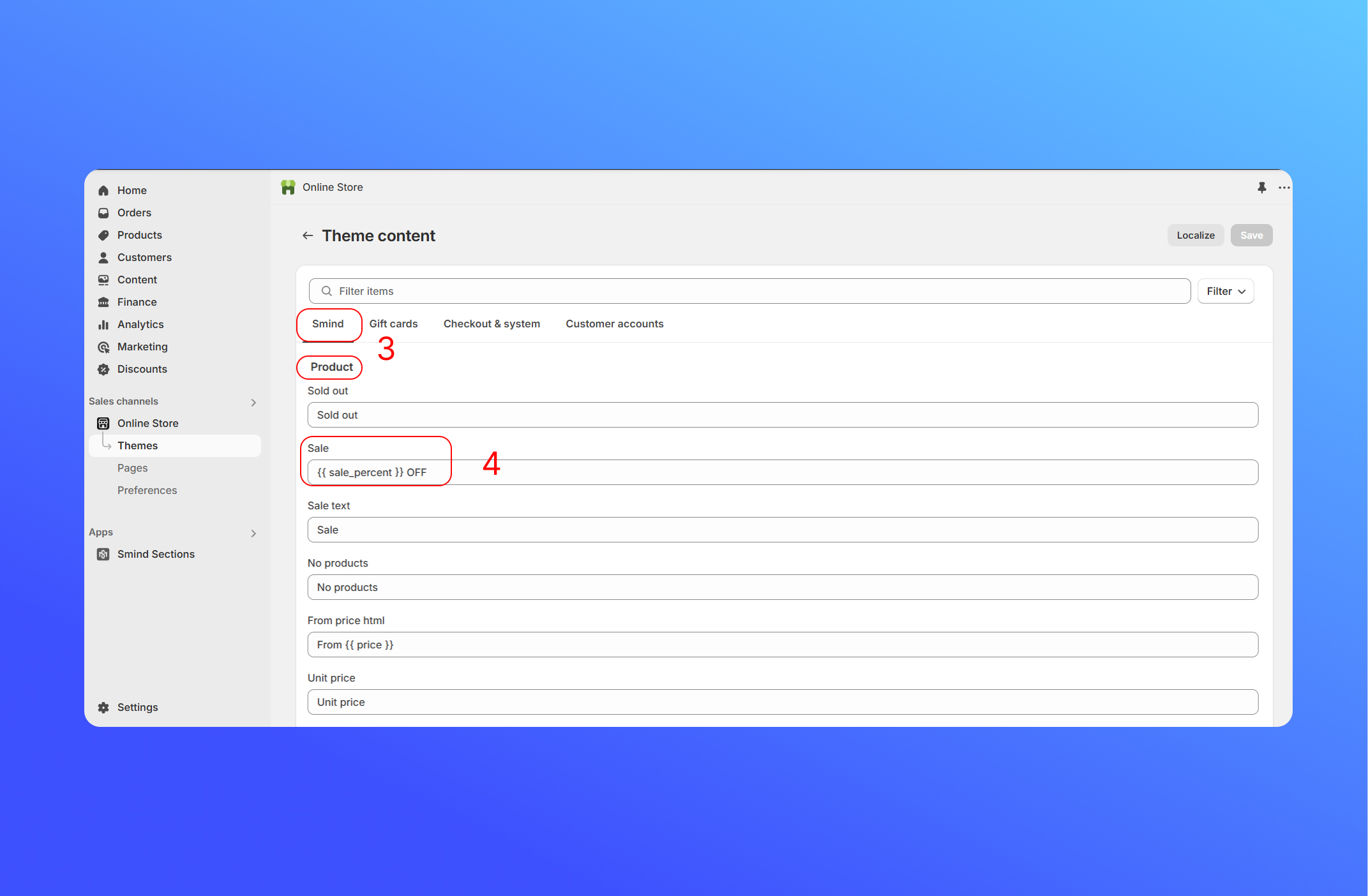
- In the Smind tab and then scroll to “Product“.
- From the Sale field, enter your key, following format {{sale_percent}} or {{sale_amount}}.
- Click Save.
For example:
{{sale_percent}} OFF  -{{sale_percent}}
SAVE {{sale_amount}}  SALE
SALE 
Did this answer your question?
If anything is unclear, tell us — we improve docs weekly.