How to setup Cart Notes in Cart Drawer
Enable a “Cart Notes” field within the drawer so customers can leave special instructions, personalization requests, or gift notes alongside their order—before proceeding to checkout.
Key Features
- Multi-line text input in the field
Benefits
- Captures valuable order-specific information upfront
- Reduces post-purchase support inquiries
- Improves fulfillment accuracy for personalized orders
How To Use?
- Click Add Block
- Choose Cart Notes
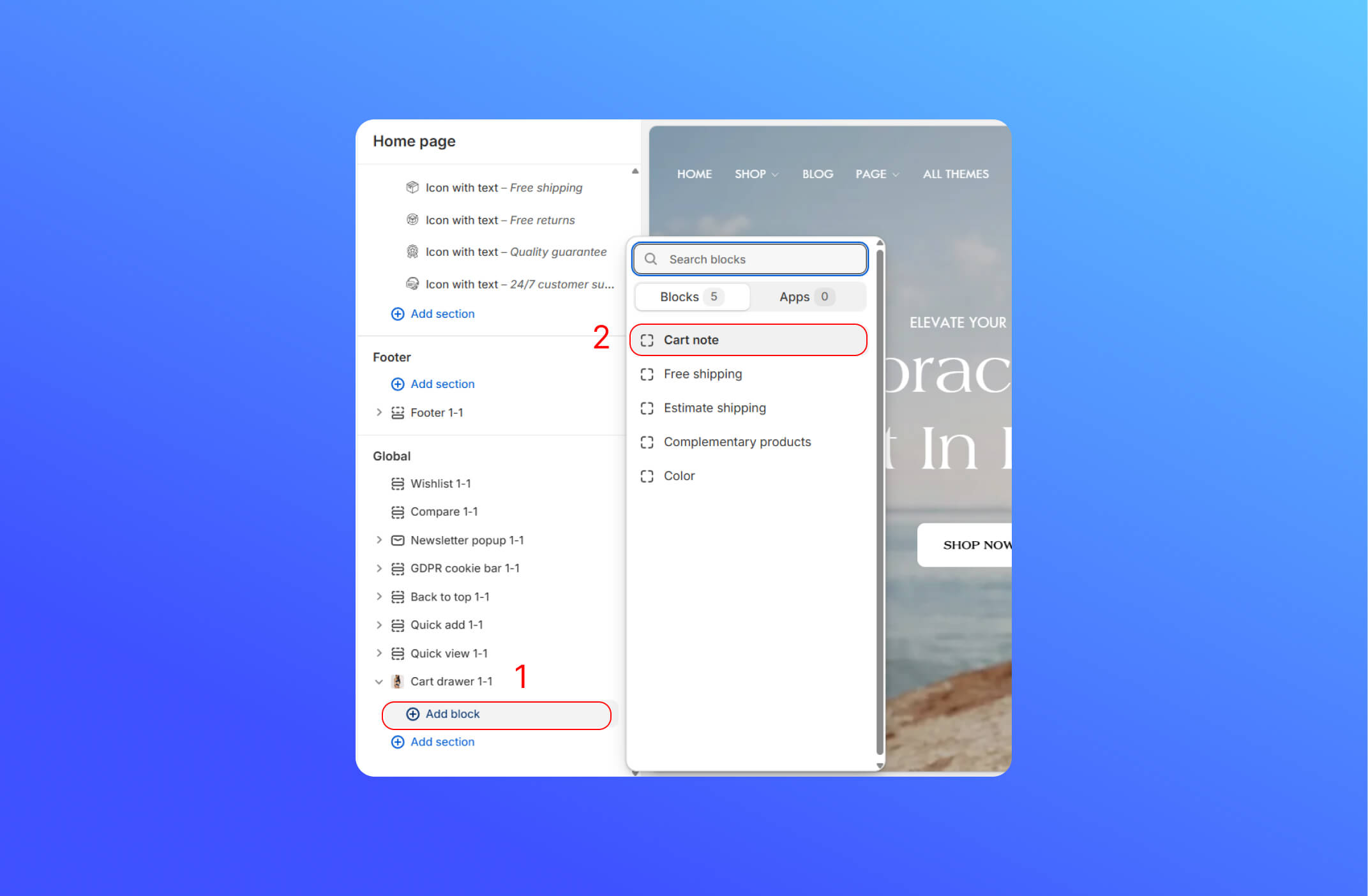
- After adding the block, you can see the button on the cart drawer


Did this answer your question?
If anything is unclear, tell us — we improve docs weekly.