How to setup Discount Code in Cart Drawer
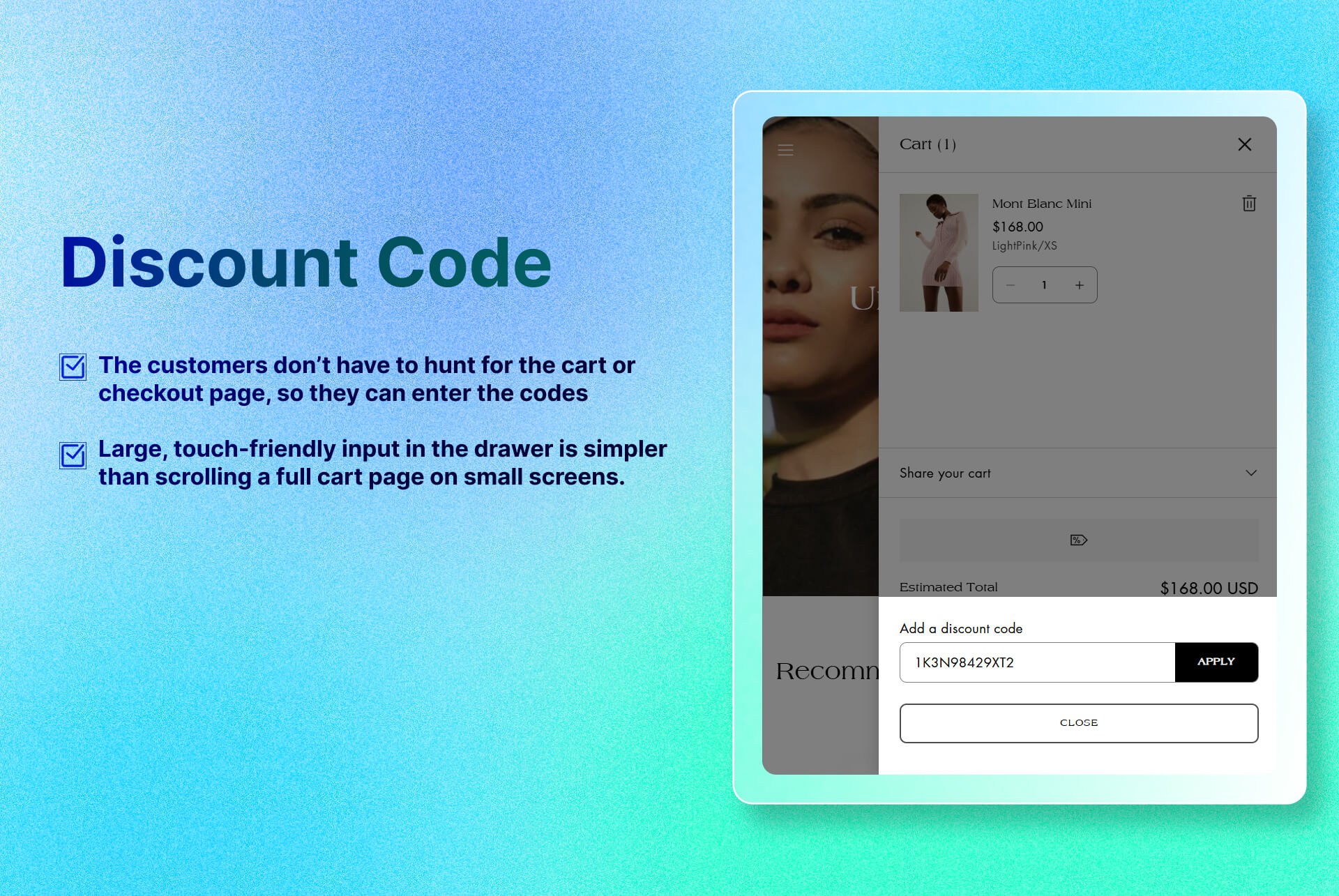
Enables promotion code entry in the cart for a smoother and more incentives driven checkout experiences.
Key Features
- Apply Discount Code Instantly: Lets customers instantly validate and apply their code, no page reload.
Benefits
- Reduces Friction: The customers don’t have to hunt for the cart or checkout page, so they can enter the codes in-drawer that keeps the flow seamless.
- Improves UX on Mobile: A large, touch-friendly input in the drawer is simpler than scrolling a full cart page on small screens.
How To Use?
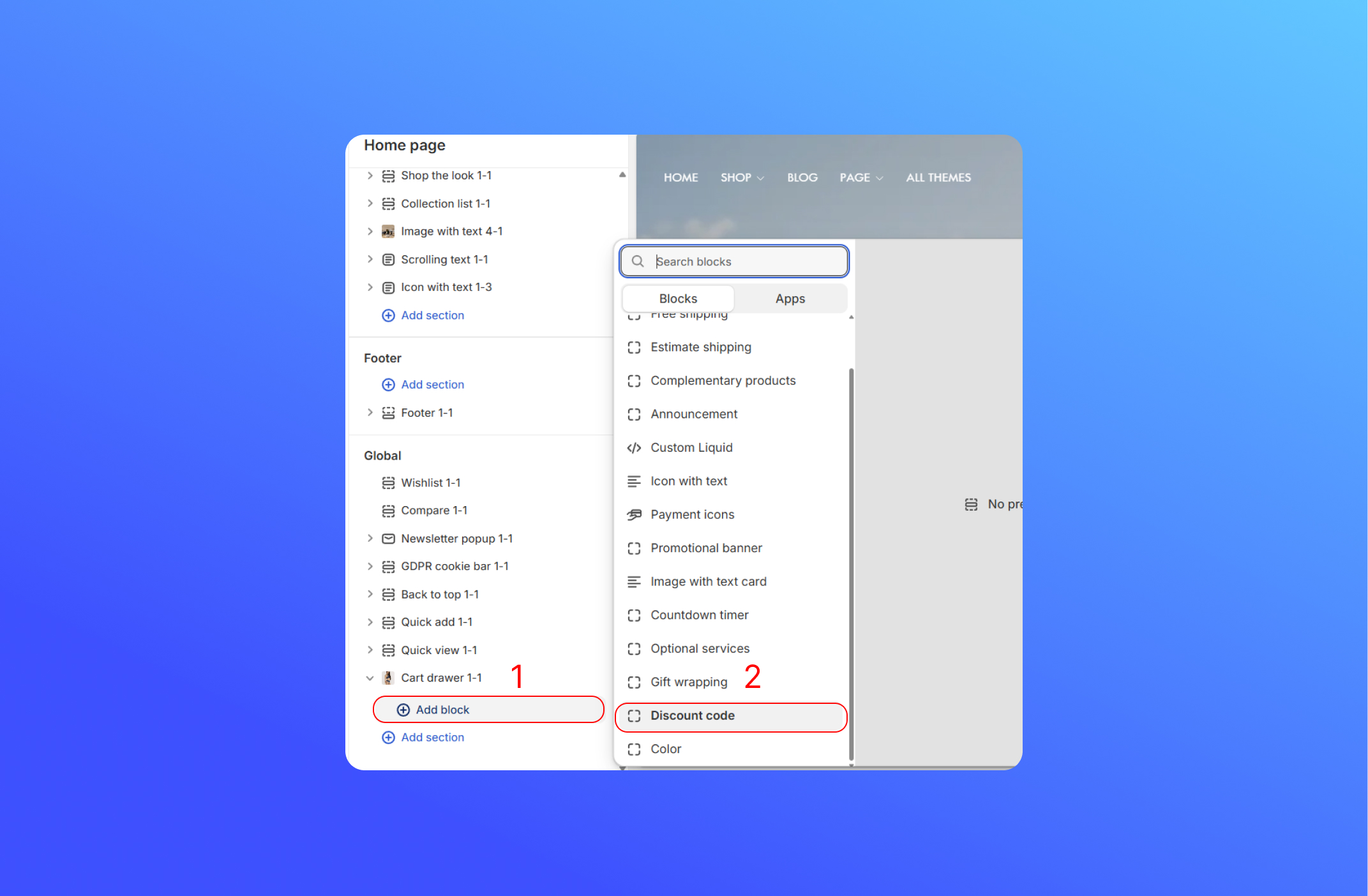
- Click Add Block
- Choose Discount Code
- Create a discount code on the Shopify Admin, to add the discount code go to Discount > Create Discount. Click here to learn more about it

Did this answer your question?
If anything is unclear, tell us — we improve docs weekly.